1mb movie
A useless but radical compression project: getting films down to 1mb and back again with language models
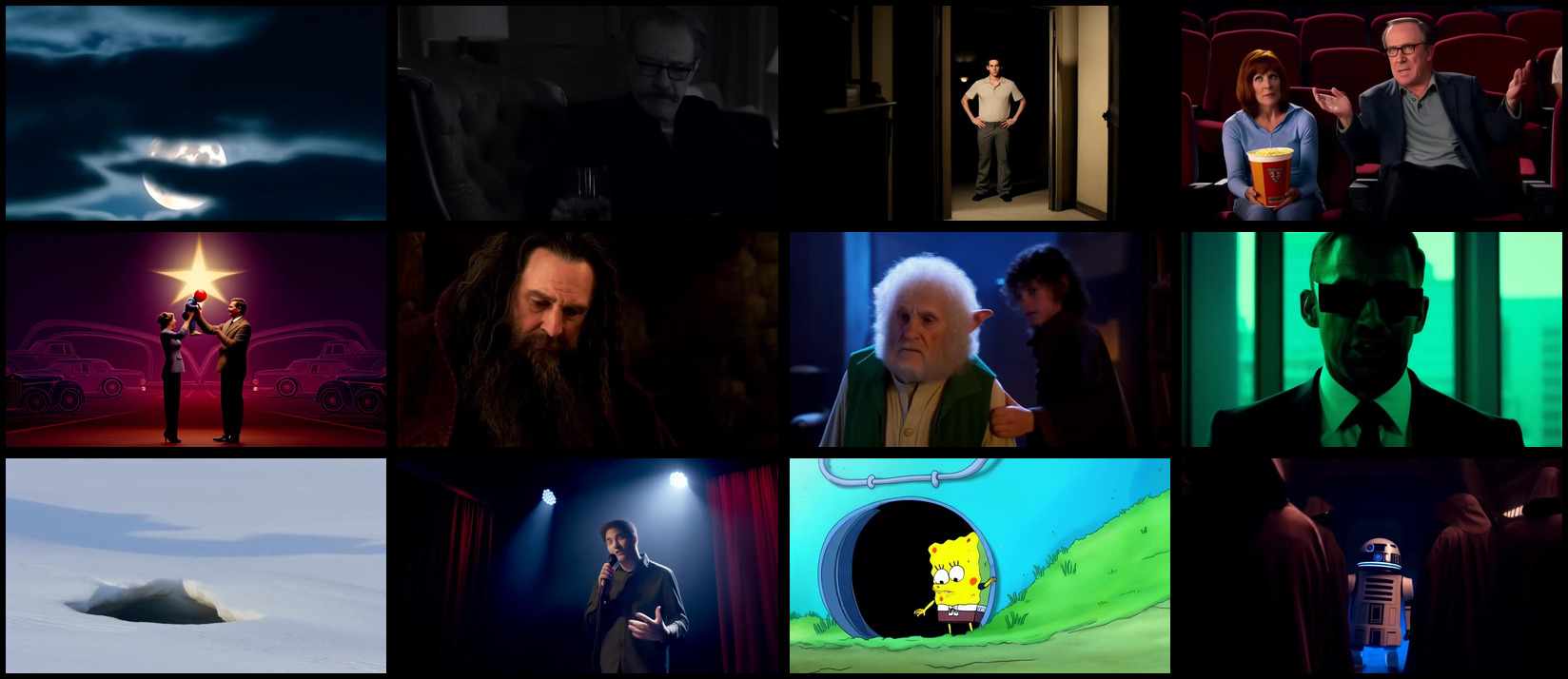
How could we compress a film to <1mb while preserving the most quality?
Dimensions that we normally compress videos on are bitmap resolution (1080p, 480p, etc), frame rate (movies and tv are usually 24fps), and audio sample rate (160kbps is Spotify’s High quality), but can we crank those down enough for sub-1mb? We’ll look at that dead-end in the next section.
Shakespeare’s screenplays each probably fit into 1mb, but they’re plays, not films or tv shows which are more detailed, like a single re-enactment of a play.
Language models are good at summarising information so seem ideal for compression. Multi-model models can work with image and audio inputs.
LMs are also ideal for the de-compression too because they’re good at generate video and audio from small text prompts.
In this article I’ll go through my experience and learnings to achieve radical compression through language models for the lowest cost.
How we normally compress films
The lowest resolution we can go with conventional compression is around 1.1kbps for audio and 6kbps for video, the audio
Encode: make the film get really small
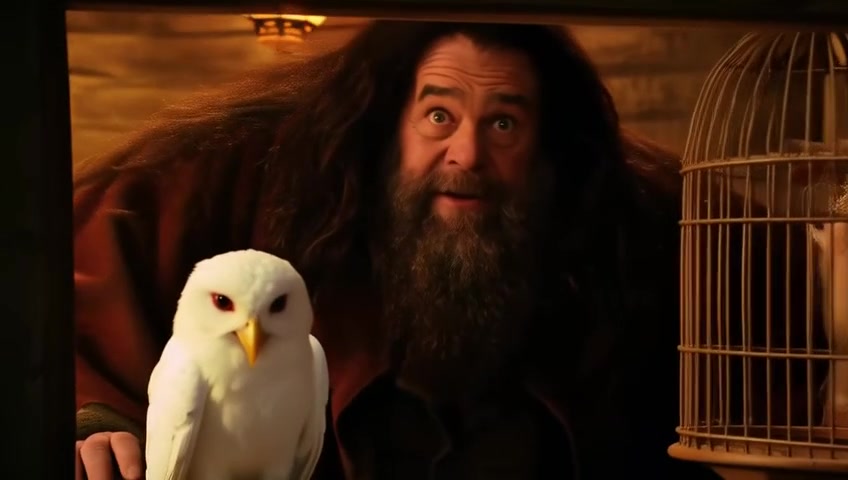
Shot by shot
Since VLMs (video language models) generate short videos of around 5-10 seconds and shots in films tend to be a similar length, it would seem that VLMs could be used to generate a film as a sequence of shot videos.
It turns out there’s a python library for finding shot boundaries in films! PySceneDetect.
Star wars, for example has 2000 clips (to make precise) which are detected pretty well by this library. There are a few exceptions, like the full-screen laser flashes in the first scene causing a few eroneus extra shots to be detected.
ffmpeg is a popular toolset for working with videos. You can use it to extract all sorts of things from videos like individual frames, audio, and clips.
Describe each shot
Instead of compressing a film by reducing the pixels or sampling rates, we’ll use an image LM: Google’s Gemini 3.1 Flash-Lite to summarise each shot in the film, given a few frames sampled from the shot. This gemini flash lite model is cheap at $0.075 per million input tokens and $0.30 per million output tokens.
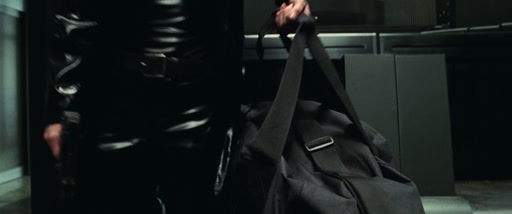
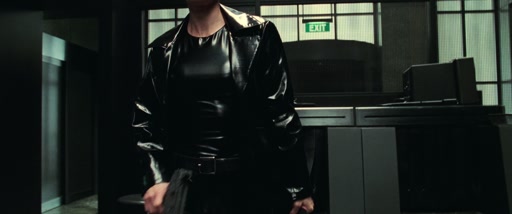
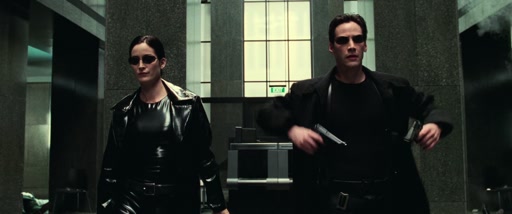
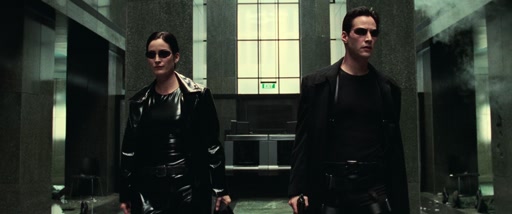
Going through security, The Matrix (8.8 seconds)
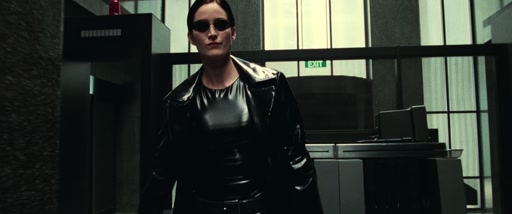
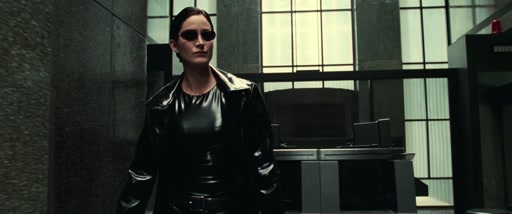
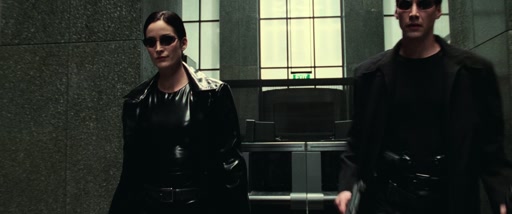
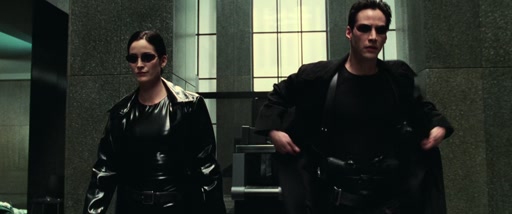
{
  "shot_type": "medium",
  "camera_movement": "slow zoom out",
  "subjects": "A woman in a black vinyl coat and a man in a black trench coat, both wearing dark sunglasses.",
  "action": "The two characters walk forward together through a lobby. The man draws two handguns from his coat holsters simultaneously as they continue walking.",
  "lighting": "High-contrast, cool-toned interior lighting with bright highlights reflecting off the vinyl fabric.",
  "color_palette": "Black, dark grey, muted green, and white.",
  "mood": "Intense, cool, determined, and action-oriented.",
  "setting": "A modern, sterile office building lobby with stone walls and a green 'EXIT' sign in the background.",
  "sound": "A mix of intense, rhythmic electronic music, ambient room tone, and the sharp, metallic sound of guns being drawn."
}
Clustering on characters
What about audio?
Movies have a few layers of audio: dialogue, music, and sound effects.
We’ll at least split up dialogue from music and sound effects.
I’ll cheat a bit with dialogue by directly using the subtitles for the film, which are sometimes embedded in the film itself.
Listening for sounds
We can use an audio classification model like YAMNet to detect which of 521 everyday sound classes are present at which times
Putting it together: the lossy compression encode pipeline
Decode: making the least crap film from the smallest amount of information for the lowest cost

So now we have a set of shot descriptions, one for each shot in the movie:
Reminder: each description includes shot_type, camera_movement, subjects, action, lighting, color_palette, mood, setting, sound, and dialogue.
Now we’re ready to generate a video for each of these shots with a video language model, before stitching them together to create the movie, whole again!
Selecting a video model
I’m going for the lowest cost for a plausable movie output in 480p/720p.
The best model for output quality is currently ByteDance’s Seedance 2 model, but it’s too expensive at around $1200 for a 2 hour movie length output. It’s also not open-weight so we’d have to choose from a few hosting providers.
Alibaba’s Wan 2.1 & 2.2 are older models from early/mid 2025. The quality is noticeably worse but it’s dramatically cheaper to run. It’s open-weight and its ~10GB (to confirm) RAM fits on an Nvidia GTX 4090 GPU which is meaningful for self-hosting.
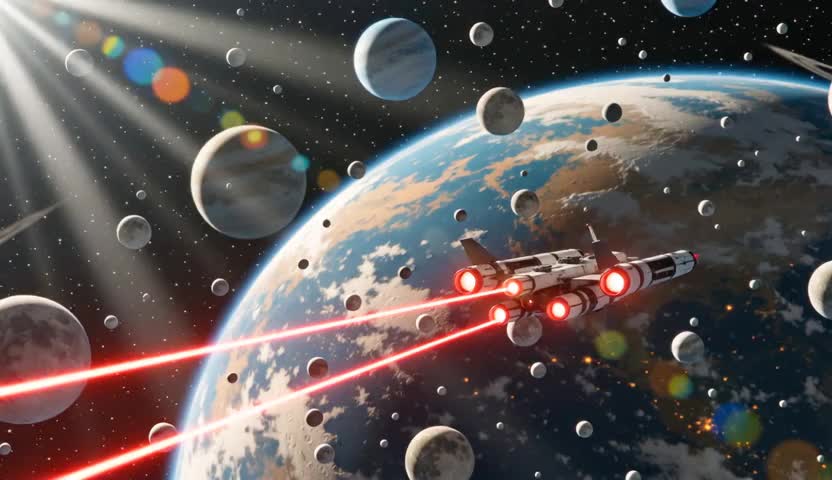 Wan 2.1
 Seedance 1.0 Pro
| Model | Where | cost / sec | whole film (~2 hr) |
|---|---|---|---|
| Wan 2.1 T2V 1.3B | self-hosted (RunPod 4090) | $0.002 | ≈$16 |
| Wan 2.2 T2V Fast | paid API (Replicate) | ≈$0.01 | ≈$74 |
| Seedance 1.0 Pro | paid API (fal) | $0.05 | ≈$370 |
| Seedance 2.0 | paid API (list price) | ≈$0.15 | ≈$1,100 |
Self hosting
| Wan 2.2 5B — same scene (11 clips, 33.8s) | Billed by | cost / sec | scene total |
|---|---|---|---|
| fal.ai, hosted | per clip ($0.15) | ≈$0.05 | $1.65 |
| RunPod A6000, self-hosted | GPU time ($0.33 / hr) | ≈$0.01 | $0.33 |
wan2.2_ti2v_5B_fp16 — run both ways, so the only variable is who owns the GPU. Measured on one real Star Wars scene: 6 shots, 11 clips, 33.8s. fal charges a flat $0.15 per clip however short the clip; self-hosting pays only for the A6000’s time (full pod uptime at $0.33/hr). ~5× cheaper here — and that’s a pessimistic case for self-hosting, since a single short scene barely amortizes the pod’s spin-up and model load; across a whole film the per-clip GPU cost falls further.The continuity problem: every shot, a different actor
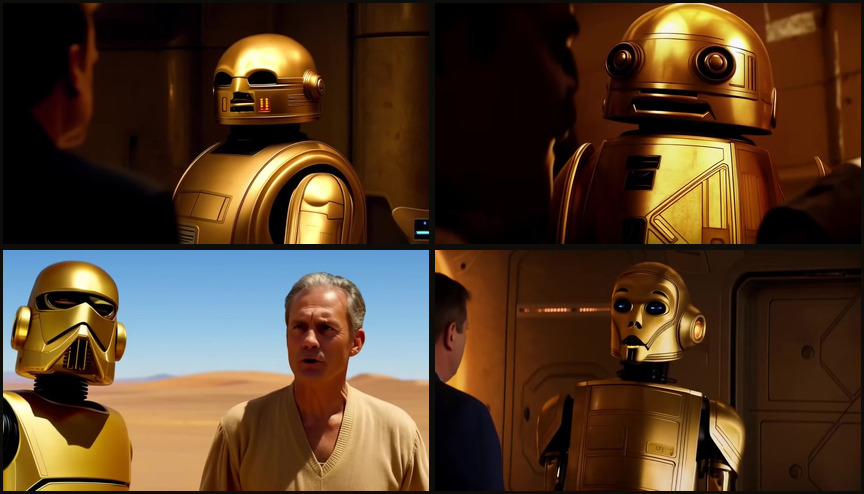
Since we’re stitching together clips that are generated independently, continuity becomes a major challenge in way of making something coherent.
Something that suprised me about VLMs was how small the input prompt is. The sweet spot for models generally is on the order of 50 - 150 words:
A large, blocky spacecraft with a grid of bright glowing thrusters. The spacecraft moves steadily across the frame against the backdrop of a planet and a moon, while a red laser beam fires from the rear of the ship, dissipating as it travels through space. Extreme Wide shot, static. Deep space, orbiting a large, textured, brownish-orange planet with a smaller moon visible in the distance. High contrast space lighting; the ship is illuminated by its own thrusters and the distant light of a star, while the planet below is lit by a sun off-screen. Deep black, vibrant orange, muted grey, and bright white. Epic, cinematic, and adventurous.
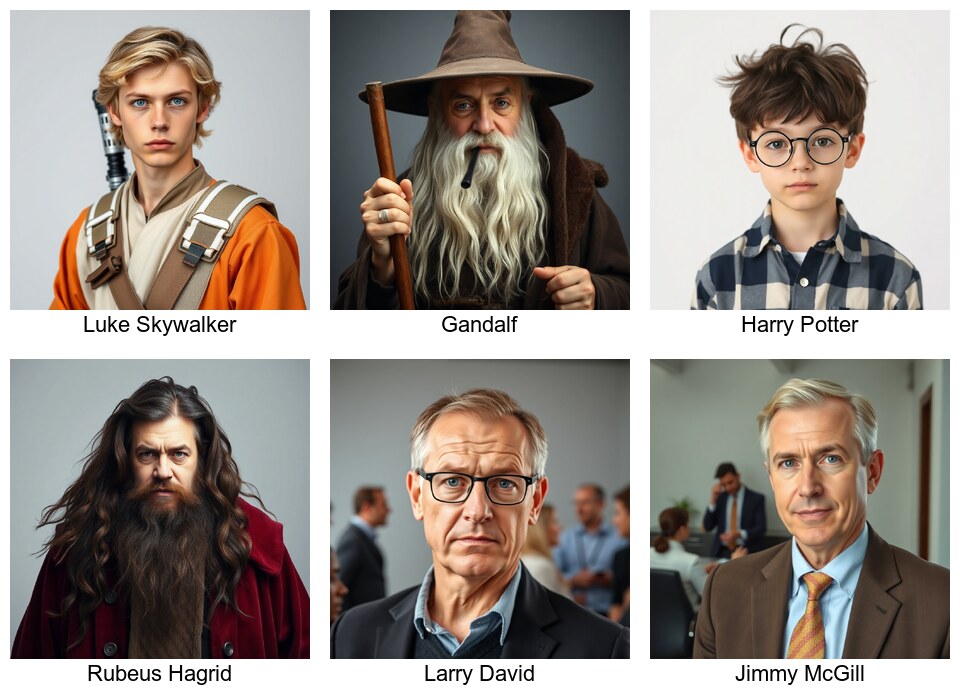
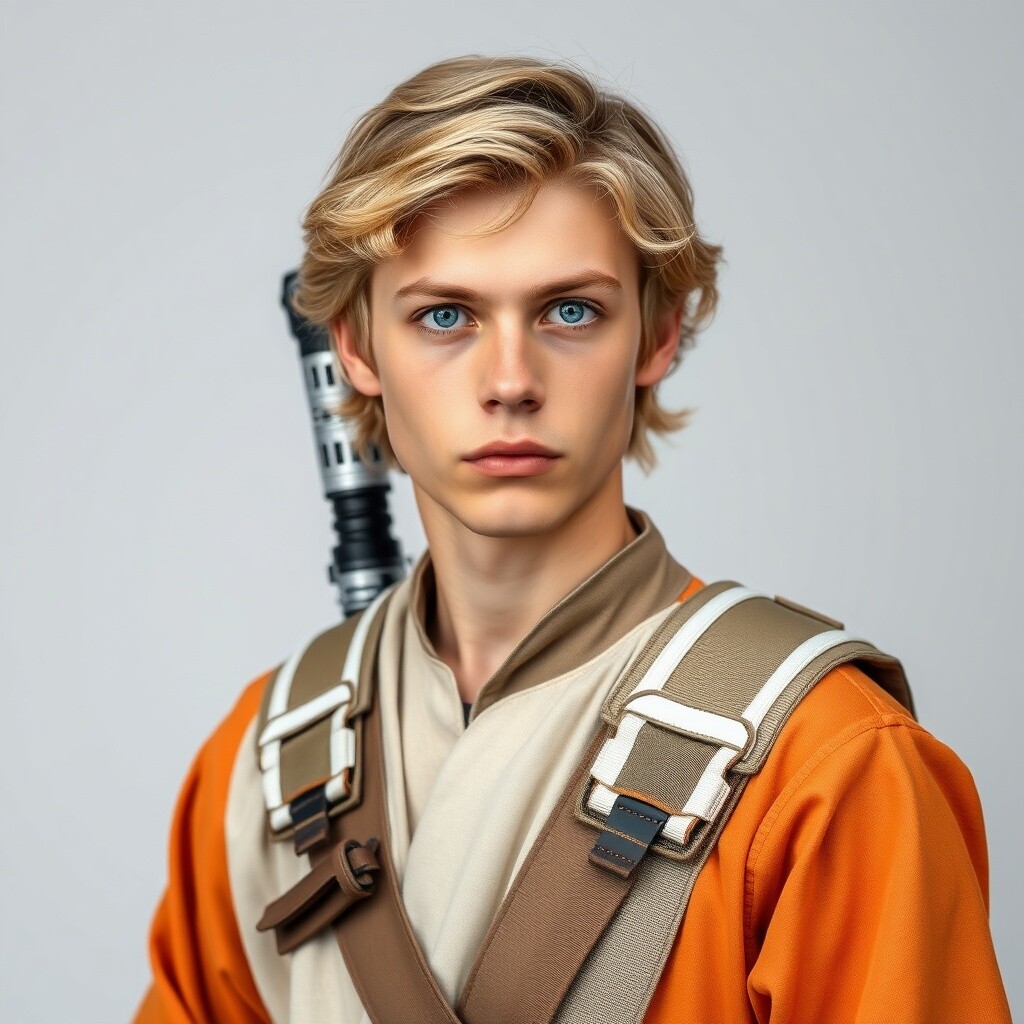
That’s the budget we have for describing a shot in our de-compressed movie. So if we want Luke Skywalker to look the same across the clips we’re generating we may only have 100 words to describe Mark Hamill’s face, stature, pose, costume, expression, etc. Maybe other characters are in the shot too.
Character clustering: an attempt
Something I tried to mitigate the continuity problem without is clustering
Long shots
Wan 2.1/2 models support output length of only around 3-6 seconds. Not enough for some shots like The Dude browsing for milk at the beginning of The Big Lebowski which goes on for 50 seconds or so.
There’s a good solution to this: we can use the last frame of an output clip as the first frame of the next clip with the first_image parameter, then join the clips into one shot. It works well:
Short shots
Some movie shots are under a second — shorter than the ~2s floor that Wan will generate. Every model I tried bottoms out around there (Seedance too), so there’s no way to ask for a clip that short.
So the stitcher squeezes the ~2s clip into the slot it needs: same frames, retimed to play faster. For a sub-second shot that’s a ~3× speed-up, and the motion ends up looking like fast-forward — though at well under a second it flashes by too fast to really notice. (The other option would be to trim the clip rather than speed it up — keep the first 0.75s at natural speed and drop the rest — but I haven’t bothered.)
Generating the audio
For dialogue we’ll just use the cheapest (dullest) Eleven labs voice to keep costs low. We can’t attribute dialogue to characters from the subtitles alone anyway. It’s a harder problem to infer that, for another day…
Music & sound effects
| Audio | Model | rate | whole film (~2 hr) |
|---|---|---|---|
| Ambience + SFX | MMAudio, on the video pod | $0 marginal | $0 |
| Ambience + SFX | MMAudio, fal.ai hosted | $0.002 / sec | ≈$2.60 |
| Extra SFX | ElevenLabs SFX | $0.001 / sec | ≈$0.50 |
| Dialogue | ElevenLabs Speech | $0.05 / 1K chars | ≈$2.70 |
| Music / score | — not generated | — | $0 |
The result: decompressed 1mb films:
Reflections
What astonishing film compression! We took a 632 MB film down to under 1 MB, that’s like 1000× smaller.
Now we can carry 1000 films on a 1gb usb drive, and to watch one of them we’ll only need to pay ~$35NZD and wait ~12 hours for processing.
Our decompressed films are lossy. But the output is indeed a full-length 480p (or up to 1080p for more $) video which retains core aspects of the film including all dialog, and a basic visual and audio reconstruction (incl. some of the music & sound effects) of every shot in the input film.
Perhaps we’d get better output from our compressed form of the film by using it to re-shoot the film with a different crew, actors, etc. We surely would. It would certainly handle the continuity aspect we struggled with. But we’re on a budget and can’t afford to spend any more or wait any longer to watch our 1mb films.
I hope this was educational as a tour of some of what’s possible with video models, and what’s necessary (not much) to use them, especially on a budget.
Did we merely build a machine that turns art into slop? Judging by the output, maybe. But